Dendra — mind maps on the web, iPhone and iPad
One central idea, branches growing out of it, and as much colour, detail and structure as the thought deserves. Dendra is a mind map maker that opens straight in your browser: nothing to install.

What you can do with it
- Build fast. Tab adds a child bubble, Enter a sibling, the arrow keys move around. Drag a branch to move it somewhere else.
- Give every bubble detail. Colours, icons, links, signed notes and due dates. Loose sticky notes float anywhere on the canvas.
- Keep track of deadlines. One list shows every bubble with a due date, in order, so a map doubles as a plan.
- Tick things off. Completing a bubble files it away and keeps its children in the map. You can look back at what is done and restore it.
- Change the shape. 11 layouts — classic mind map, tree, org chart, radial, timeline, fishbone, columns, outline and free — and 16 themes, dark and light. Preview first, then apply.
- Take it anywhere. Export to PDF, PNG, SVG, JSON or an Obsidian canvas, or send a copy of the map inside a link.

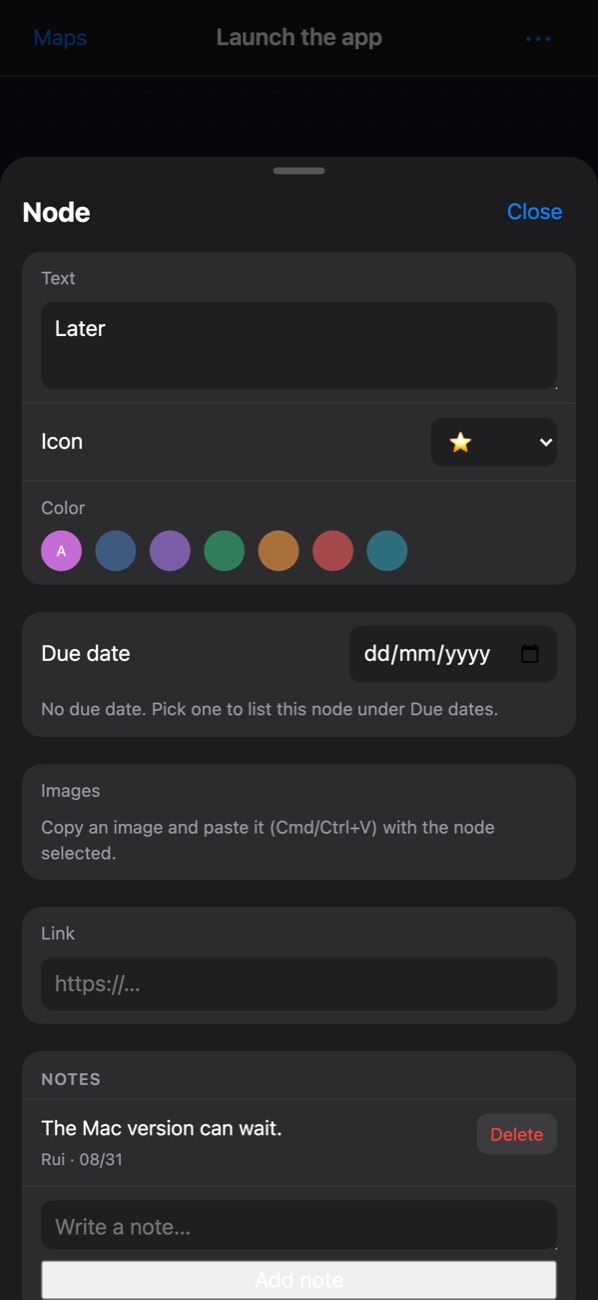
Due dates and the bubble editor on an iPhone.
Computer and phone, same maps
A big screen and a keyboard are the best place to build a map. The phone is the same app, not a cut-down version: read a map, add a bubble that just came to mind, fix a date. Sign in with Microsoft, Google or Apple and every device sees the same library.
Questions
Is Dendra free?
Yes. The account is free and covers three maps. Dendra Pro, bought in the iPhone and iPad app, removes the limit and lets you put images inside bubbles.
Do I need to install anything?
No. Dendra runs in any modern browser at dendramaps.com. An app for iPhone and iPad is on its way to the App Store.
Can I get my maps out?
Always. JSON keeps the whole map and can be imported back; PDF, PNG and SVG are for printing and slides; the Obsidian export opens the map as a canvas in your vault.
What happens when I delete a map?
It waits 30 days in the trash, on every device, before it is gone for good.
Where does the name come from?
Dendron is Greek for tree — the shape of every map, and of the dendrites a neuron grows to reach its neighbours.